BUILT FOR THE BUSINESS OF BUYING
Run your entire
procurement workflow
in one place.
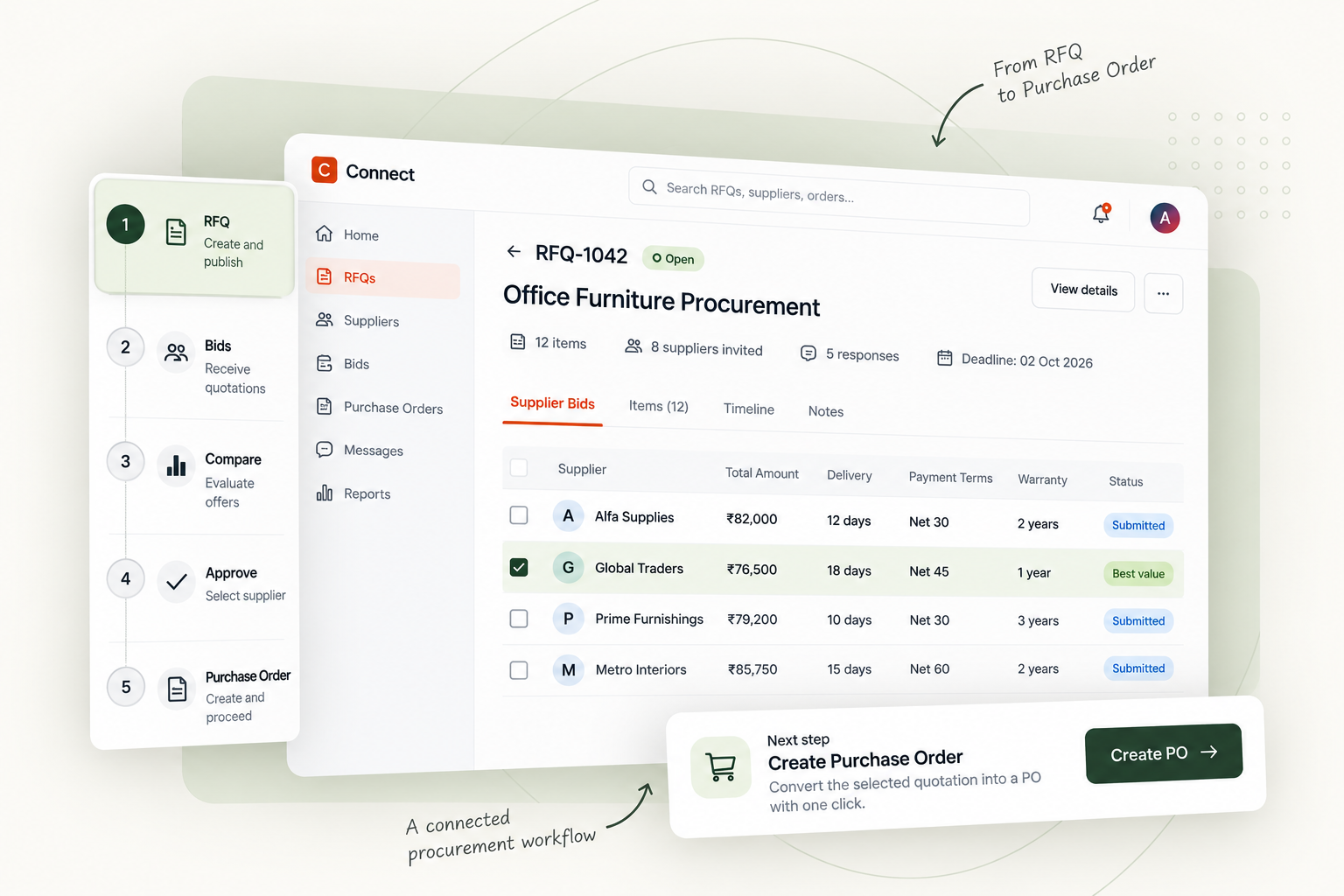
Create RFQs, collect supplier bids, compare quotations, negotiate terms, and convert winning bids into purchase orders — all from one connected workspace.
For procurement teams and the suppliers they rely on.
Acme Corp
We are excited to announce our new line of industrial safety helmets. Lighter, stronger, and more comfortable for all-day wear.
Global Logistics
Our new Abu Dhabi warehouse is now fully operational! This will reduce delivery times across the UAE by up to 30%.
Switch roles, explore your dashboard, edit a requirement and follow a supplier selection into a sample order.
RFQs & bids · Auctions · Pooled buying · Sample requests · Purchase orders
FROM SCATTERED TO STRUCTURED
Your process.
With the gaps closed.
Every handoff is a chance to lose context. Keep the requirements, conversations and commercial decisions connected.
Give every supplier the same brief.
Set specifications, quantities and delivery terms upfront. Collect structured bids against your actual requirement.
Invited
Invited
Invited
Compare more than the price.
Review lead times and payment terms. Request revisions, evaluate samples and keep the history behind your choice.
Make the handoff part of the workflow.
Award to one supplier or split by item, then carry the decision into purchase orders that buyers and suppliers can follow.
12 Oct 2026
Net 45
TWO SIDES. SHARED PROGRESS.
Good procurement
works both ways.
Keep your sourcing moving. Keep your team in control.
From recurring supplies to a new sourcing project, give your team a shared place to evaluate offers and follow through on decisions.
Source your way
Invite existing suppliers, run auctions or combine demand through pooled procurement.
Decide with context
Review commercial terms, sample evaluations and the changes between bid revisions.
Follow the award
Keep purchase orders linked to the sourcing decision that created them.
BUILT AROUND ACCOUNTABILITY
Keep the context.
Own the decision.
A history you can revisit
Bid versions and revision records help your team understand how an offer changed.
A workspace for your company
Separate company data and role-based access keep operational work within its intended boundaries.
BEFORE YOU GET STARTED
A few useful
answers.
Get to know the workflow before
bringing your team on board.
Can we work with our existing suppliers?
Yes. You can direct an RFQ to selected suppliers or your listed suppliers. You can also make requirements available to suppliers in matching categories.
Is Connect for buyers or suppliers?
Both. Buyers create sourcing events, compare offers and manage purchase orders. Suppliers discover opportunities, submit bids, respond to revisions and follow awarded orders.
Can we negotiate before awarding?
Yes. Buyers can request bid revisions and review the history. Sample requests also let teams evaluate an item before proceeding, and split awards let you allocate different items to different suppliers.
How is company information separated?
Company operational records are stored in separate tenant databases. Role-based permissions control access, while bid versions and audit records preserve material changes.
What happens when I create an account?
You’ll leave this site and enter Connect’s registration flow, where you set up your account and company details. The walkthrough here uses sample data and does not create real RFQs, bids or orders.
YOUR NEXT REQUIREMENT STARTS HERE
Bring it all together.
One workspace. Both sides of the transaction. A clearer way forward.